

Appearance
Installation & Activation
Welcome to PodcasterPlus Blocks. This guide walks you through installing and activating the plugin on your WordPress website.
Prerequisites:
- A self-hosted WordPress website (WordPress.org) or a WordPress.com Business plan or higher.
- Admin access to your WordPress dashboard.
Upload the plugin ZIP file
Use this method if you have downloaded the plugin as a .zip file directly from PodcasterPlus.com.
Download the plugin: make sure you have the
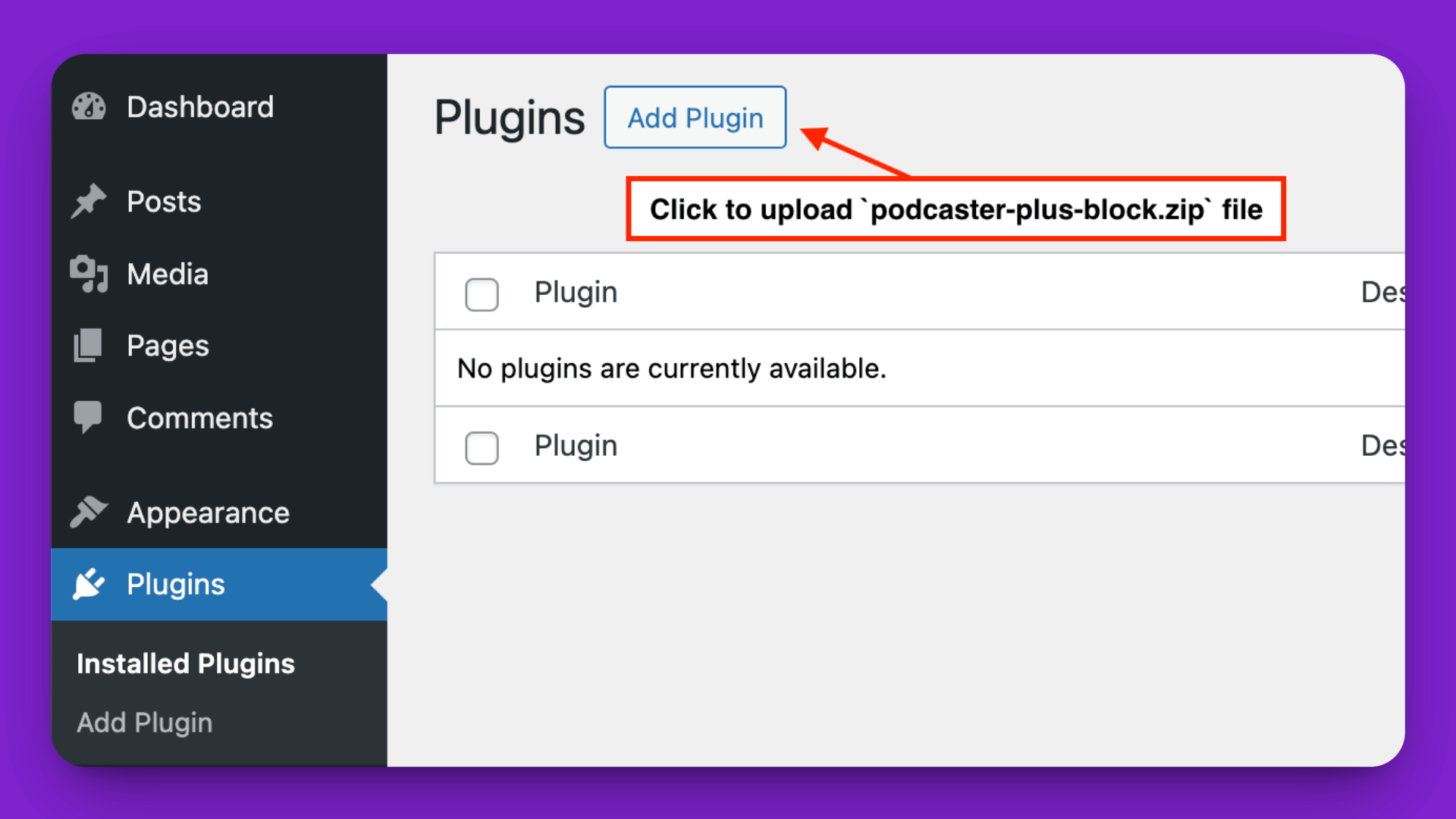
podcaster-plus-blocks.zipfile (or the specific filename provided) saved to your computer.Navigate to upload: log in to your WordPress admin area, go to Plugins → Add New, and click the Upload Plugin button at the top of the page.
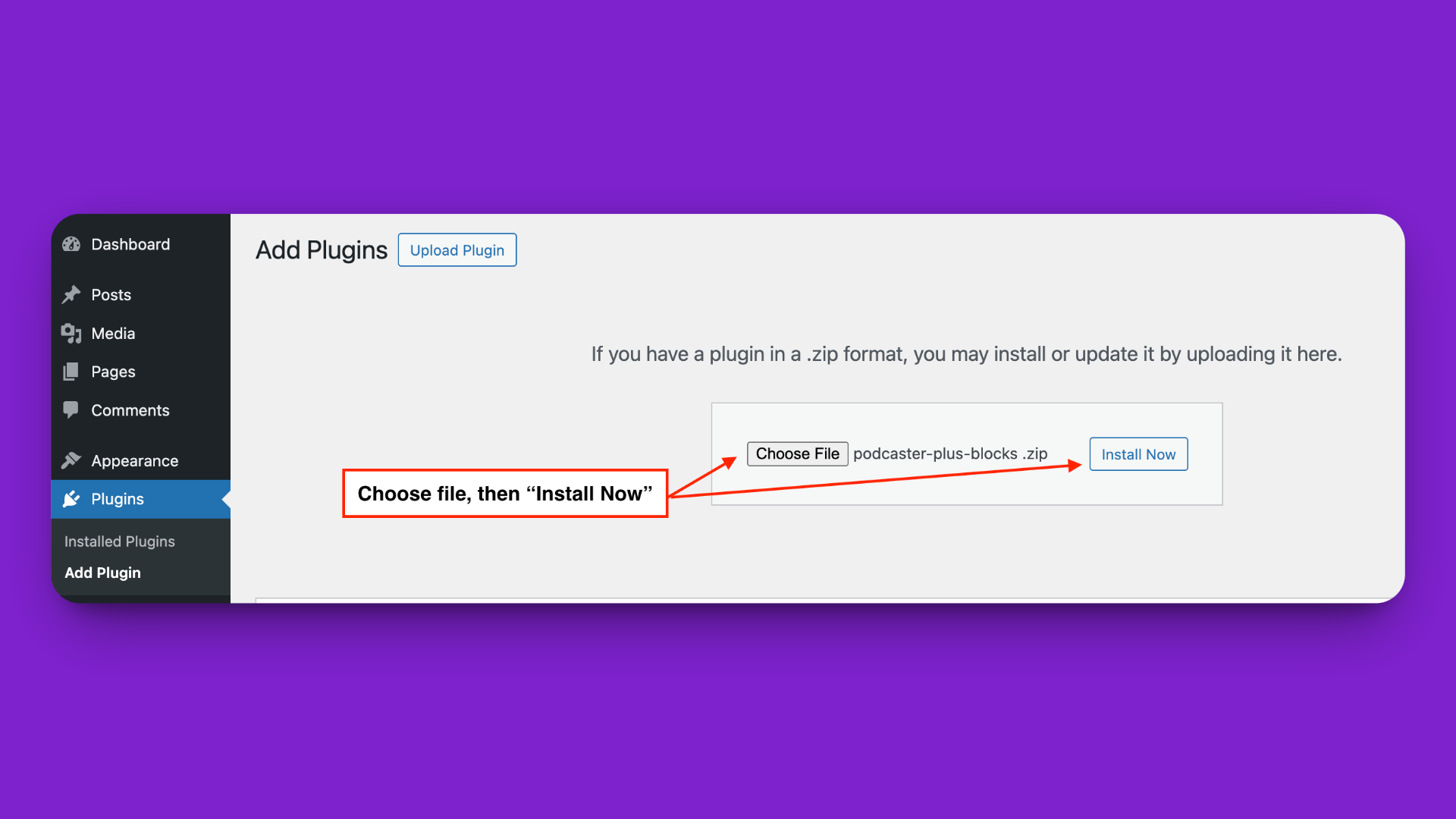
- Choose the file: click Choose File, select the
.zipfile you downloaded, and click Install Now.
- Activate: after the plugin finishes uploading and installing, click the Activate Plugin button.
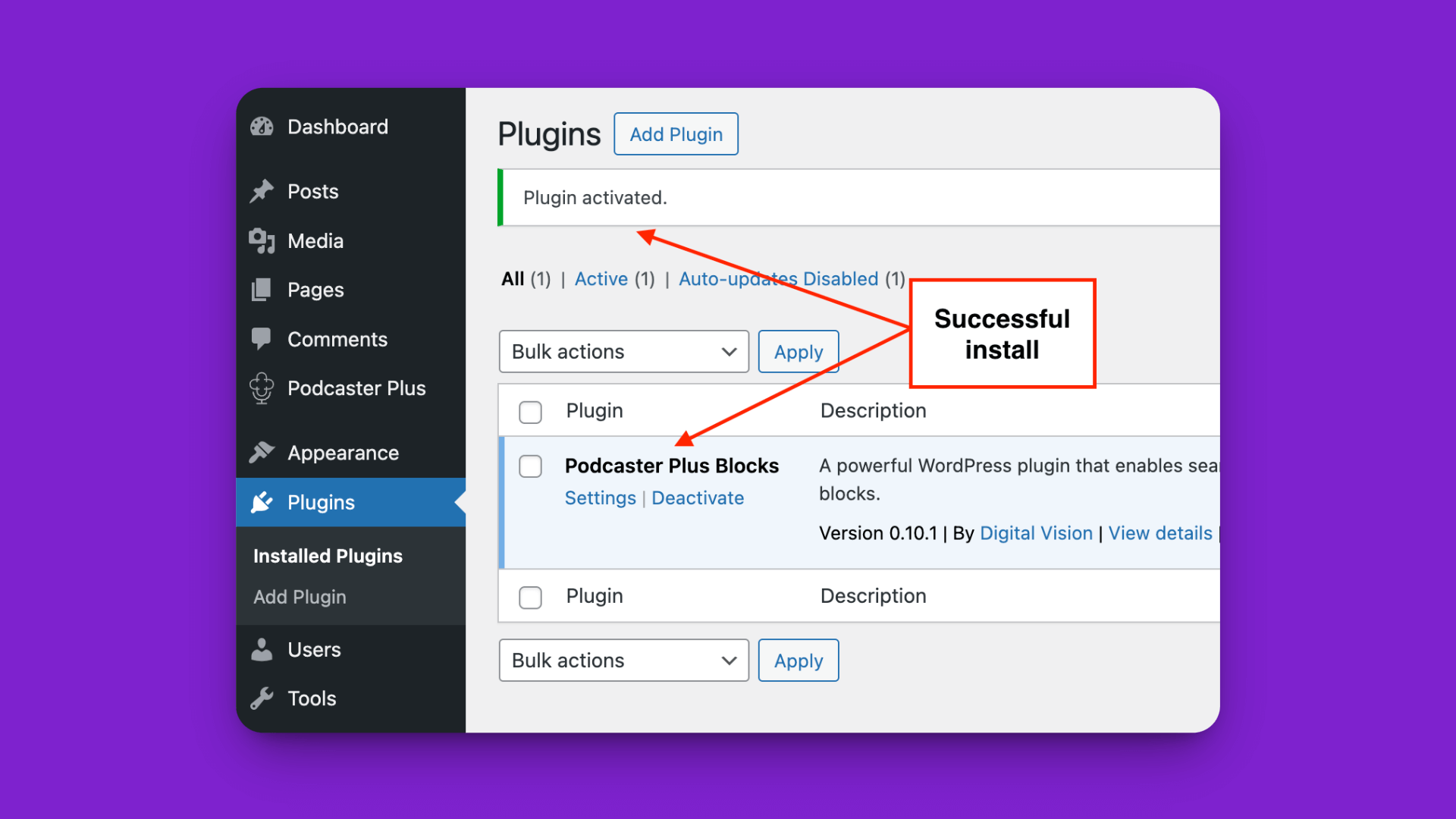
Confirmation
Once activated, "PodcasterPlus Blocks" appears in your main Plugins list, and a new PodcasterPlus item appears in your WordPress admin menu.
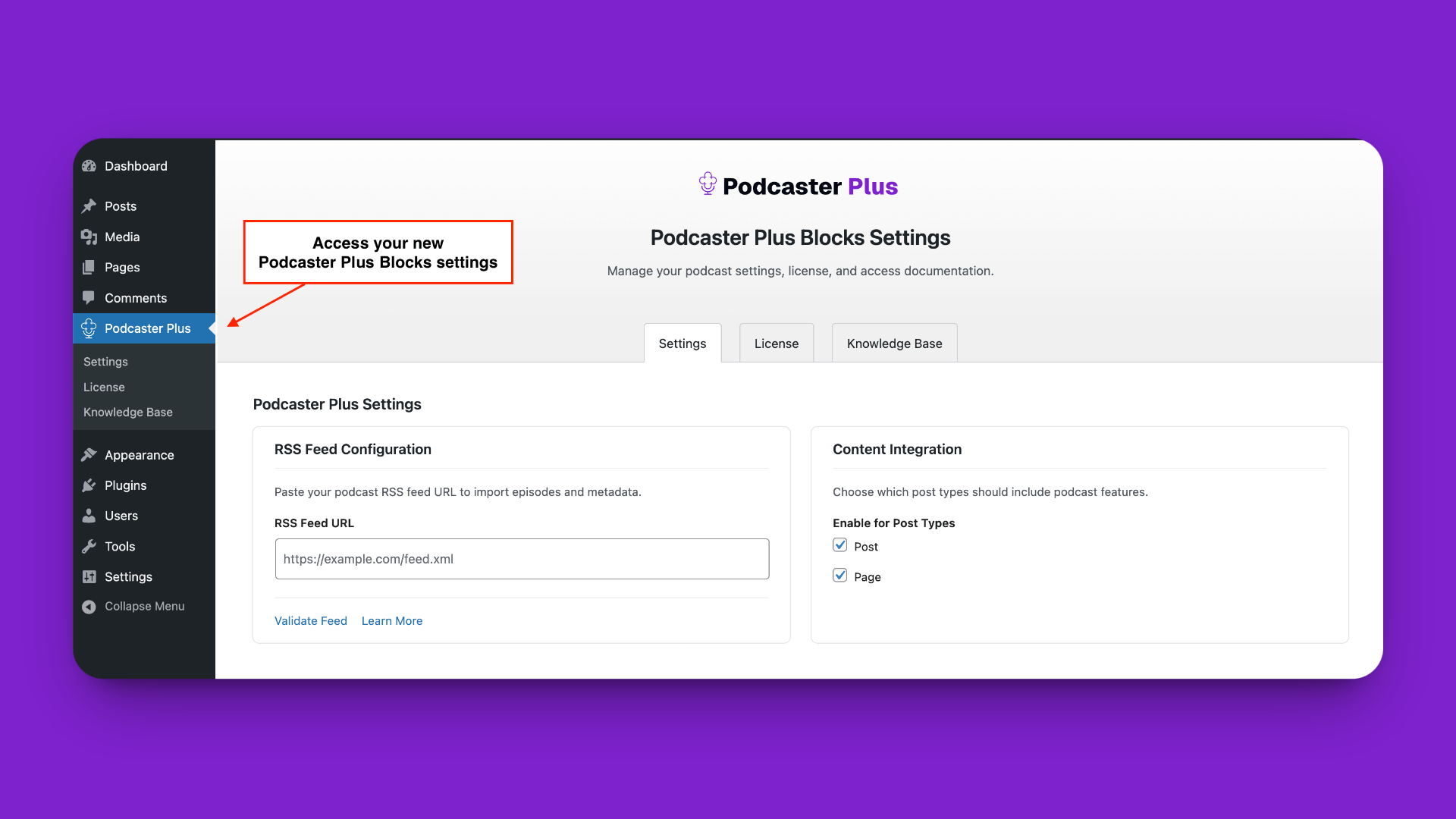
You have successfully installed and activated PodcasterPlus Blocks. The next step is to connect your podcast's RSS feed.
What's next?
- Connecting Your RSS Feed: point the plugin at your podcast.